


Glovy - AI Photo Generator
3.26.00 Reviews
App Specs
- Version
- 1.4.0
- Updated On
- License
- Free
- Downloads
- 100,000+
- Developer
- NXL AI Solutions
- Categories
- Art & Design
- Platform
- Android
Screenshots
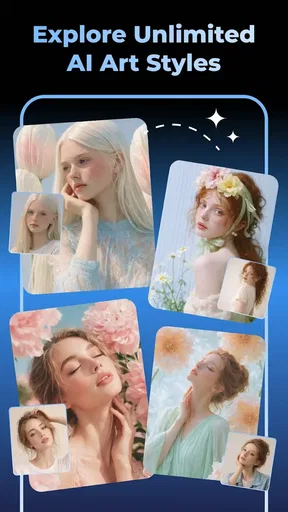
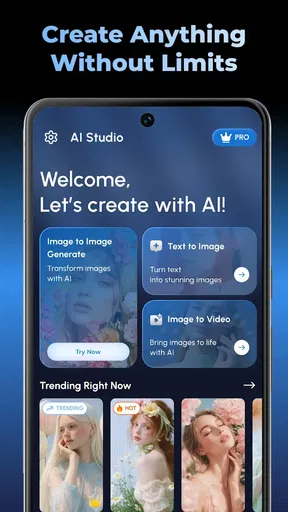
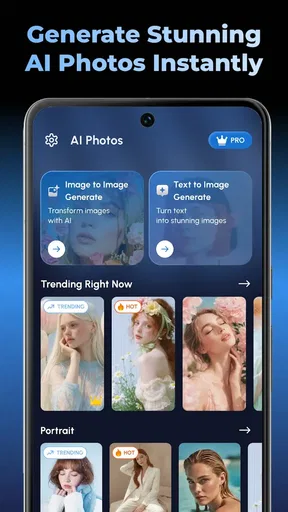
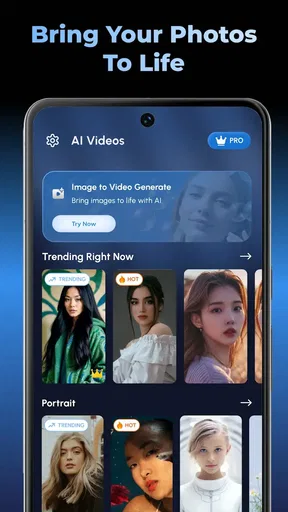
 Analysis by AppCompare
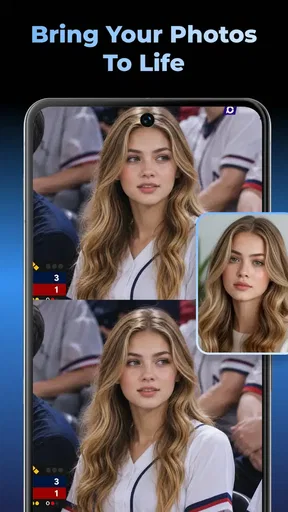
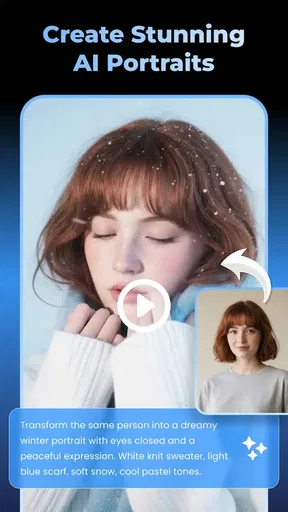
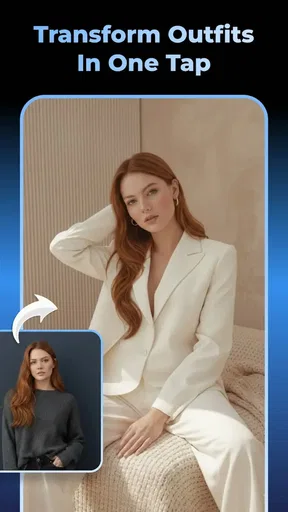
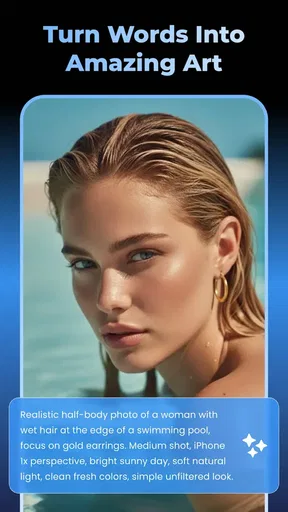
I approach Glovy - AI Photo Generator as a playful visual workshop rather than a replacement for a full photo-editing suite. It is an art and design app from NXL AI Solutions, and its appeal is the chance to explore a look before committing time or money to a real-world change. That makes its hair-color and hairstyle tools especially easy to imagine using for a low-stakes “what if?” moment, while its image-generation and video-making angle gives it room for broader creative experiments.
A useful starting routine
For a first session, I’d keep the goal small: choose one photo or one visual idea, make a single change, and judge whether the result is useful before trying to refine everything at once. With appearance previews, a clear, front-facing photo is a sensible starting point because it gives the app a more straightforward subject to work with. I’d also compare the result with the original rather than relying on memory; subtle shifts in color or shape can feel larger after staring at an edit for a while.
If I were considering a new hair shade, I’d try a natural option first, then move toward a more dramatic color in a separate pass. That creates a practical comparison instead of a jumble of changes. The preview can help narrow down a direction, but it is still an image experiment, not a promise of how dye will look under different lighting or on different hair.
For a generated picture, I’d describe the main subject and the mood I want before adding extra details. A prompt with a clear focal point is easier to assess than one trying to specify every object, texture, and background element. When a result is close but not quite right, changing one part of the description at a time makes it easier to learn what influenced the output.
Checks that make experiments more useful
Glovy is free to download, but it also offers in-app purchases priced from $12.99 to $159.99 per item. I’d explore the basic experience before deciding whether a paid option makes sense, and I’d read the purchase details shown in the app carefully before confirming anything. The wide range makes it particularly worth checking what an individual item includes rather than assuming every paid choice offers the same kind of access.
The app is rated for Everyone, which describes its content classification, not whether every feature is equally useful for every age or skill level. Its average rating is 3.2 from 517 ratings, so I’d treat it as a product with mixed reactions rather than assuming it will suit everyone. A short personal trial is more informative than expecting the same results another person got from a different photo or prompt.
It is also worth deciding what a successful result means before starting. If I want a hairstyle preview to help me talk through a salon idea, a rough visual direction may be enough. If I need a polished portrait for a professional profile, I would check the final image closely and keep a conventional editor available for precise finishing. AI creativity can be convenient, but exact cleanup and predictable retouching are different jobs.
Worth Reading Before You Choose

EA SPORTS FC Mobile 26 Is a Bigger Football Game, but It Takes Time

Flipboard Shows What News Apps Must Do Beyond the Feed

Switching to Android Auto Means Rethinking Your Driving Routine

Google Calendar Makes a Crowded Week Easier to Manage

Ludo King Makes the Most of the Minutes Between Plans

Baby Panda World Brings Quick Play to Modern Phones, but Its Game Library Feels Busy
Repeatable habits for quicker results
When experimenting, I find it helpful to save or set aside the original image before making edits, so there is always a clean reference to return to. I’d also keep track of the wording that produced a promising generated image. Even a brief note about the subject, style, or mood can make it easier to recreate a direction later, without having to remember which combination felt right.
A realistic everyday use might be choosing a look before a weekend event. I could test a few hair-color directions using the same photo, compare them side by side, and bring the most convincing image to a stylist as a conversation starter. I would not treat the preview as a guarantee of the salon result, but it can help turn a vague preference into something more concrete.
For casual social posts, the image and video tools may also appeal to someone who wants to turn an idea into a visual without learning a complicated desktop workflow. The trade-off is control: a dedicated editor may offer more precise layer work, while Glovy is better suited to quick exploration and AI-led variations. If I need exact typography, careful masking, or a consistent brand template, I’d choose a tool built around those tasks instead.
Where the creative shortcuts have limits
The central limitation of AI-generated visuals is that an attractive result is not always an accurate one. A hairstyle preview may not account for the texture or movement of someone’s real hair, and a generated scene can interpret a prompt in unexpected ways. I’d use the output as inspiration, not as a literal preview of a guaranteed outcome. That distinction matters most when the image is informing a real purchase, appointment, or public-facing design.
Photo choice can affect how useful an appearance experiment feels. A busy background, unusual lighting, or hair partly hidden by a hat may make it harder to judge a proposed style. Rather than trying to compensate with a long description, I’d switch to a clearer photo where possible. That is a simple workflow adjustment, but it often gives a fairer basis for comparing ideas.
There is also a difference between a fun first result and a repeatable production process. If I needed many images to match precisely, I would test whether the app’s results stay consistent enough for that task before building a project around it. For one-off concepts, inconsistency can be part of the entertainment; for a campaign or a carefully matched set of portraits, it can become extra editing work.
Who I’d recommend it to
I’d suggest Glovy to curious beginners, people weighing up a hair change, and casual creators who enjoy seeing an idea visualized quickly. Its current version is 1.4.0, and it has reached over 100,000 installs, which gives a prospective user a reasonable sense that it has found an audience without making it a guarantee of personal fit. It runs on Android 8.0 or later, so checking the device requirement before downloading is a straightforward first step.
I’d be more cautious if I needed exact professional retouching, strict visual consistency, or detailed control over every part of an image. In those cases, a traditional editor or a specialist design app is usually the better starting point. I’d also skip it if I’m unwilling to experiment: AI tools can take a few rounds of adjustments to get near an idea, and the first output may not be the one I want.
My overall view is that Glovy is most useful when I treat it as a fast idea generator and a visual try-on space, not as an authority on how a real-world change will look. Start with a clean photo or a focused prompt, make one change at a time, and keep expectations flexible. That approach makes the app’s creative shortcuts easier to enjoy while keeping its limitations in perspective.
Ever wished you could turn your wildest imaginations into stunning images? Well, let me introduce you to Glovy - AI Photo Generator, an app that promises to do just that. As someone who loves dabbling with creative apps, I decided to give it a whirl. Here's how it went down.
First Impressions
Firing up Glovy - AI Photo Generator for the first time is like stepping into a creative playground. The interface is clean and straightforward, which is a big plus when you're diving into a new app. You don't want to spend ages figuring out where everything is, right? The app welcomes you with a brief tutorial, ensuring you know where all the magic happens.
The main screen offers several options: you can either start from scratch, use a preset theme, or tweak an existing photo. I love that it caters to both those who want a quick fix and those who prefer a hands-on approach.
Features Galore
Once you're in, the possibilities seem endless. The app uses AI to analyze your input and generate images that are nothing short of impressive. Whether you want to create a dreamy landscape or a sci-fi scene, Glovy has got you covered. You can type in a description, and the AI works its magic to bring your vision to life. I tried "a futuristic cityscape at sunset," and it was like having a piece of art in seconds.
The customization options are robust. You can adjust the style, mood, and even specific elements of the image. Want more stars in the sky? No problem. Prefer a darker ambiance? Easy-peasy. This level of control means you can fine-tune your creations to match your exact vision.
User Experience
One thing that stands out is how intuitive the app feels. As someone who has tried various photo editors, I can say that Glovy makes the creative process feel effortless. The app's speed is commendable, too. Images generate in no time, which is perfect when inspiration strikes and you need instant results.
Another highlight is the community aspect. You can share your creations within the app, allowing you to get feedback from other users. It's like having a mini art gallery in your pocket, full of inspiration and support.
Room for Improvement
No app is perfect, and Glovy is no exception. While it does a fantastic job, there are moments when the AI-generated images might not perfectly match your vision. However, with the ability to tweak and adjust, you can easily get closer to what you imagined.
Occasionally, I found the app's suggestions to be a bit off the mark. But hey, that's part of the fun! Experimenting and seeing unexpected results is all part of the creative process, right?
Final Thoughts
All in all, Glovy - AI Photo Generator is a delightful tool for anyone looking to unleash their creativity. Whether you're a professional artist or just someone who loves to play with visuals, this app offers a fantastic platform to explore your ideas. The combination of powerful AI and user-friendly design makes it a must-try for anyone in the creative field.
So, if you're ready to transform your imagination into reality, give Glovy a go. You might just find yourself lost in a world of endless creativity.
Pros
- Impressive variety of AI-generated styles.
- User-friendly interface with smooth navigation.
- Quick processing time for photo generation.
- Offers creative inspiration for projects.
- Regular updates with new features added.
Cons
- Limited free version with few features.
- Occasional glitches in complex images.
- Requires stable internet connection.
- Some styles may look artificial.
- Subscription can be pricey for premium.
FAQs for Glovy - AI Photo Generator
What is Glovy - AI Photo Generator and how does it work?
Glovy - AI Photo Generator is an innovative app that uses artificial intelligence to transform your photos into unique, artistic images. It employs advanced algorithms to analyze your photos and apply various artistic styles, filters, and effects, allowing you to create stunning visuals with just a few taps. Ideal for both casual users and digital artists.
Is Glovy - AI Photo Generator free to use?
Glovy offers a free version with basic features, but to unlock premium filters and effects, there is a subscription model. The app provides in-app purchases that enhance user experience, allowing access to exclusive content. Users can choose between monthly or yearly subscriptions based on their needs and usage patterns.
What devices are compatible with Glovy - AI Photo Generator?
Glovy - AI Photo Generator is available for both Android and iOS devices. It requires Android 6.0 or higher and iOS 11.0 or later. The app is optimized for smartphones and tablets, ensuring a smooth performance across various devices. Make sure your device meets these requirements for the best experience.
How secure is Glovy - AI Photo Generator in terms of privacy?
Glovy prioritizes user privacy and ensures that your data, including photos, is protected. The app requires minimal permissions and does not store your photos on their servers without consent. Always check the app's privacy policy and terms of service to understand how your data is used and protected.
Can I share the images created with Glovy on social media?
Yes, Glovy allows easy sharing of your AI-generated images directly to social media platforms like Instagram, Facebook, and Twitter. The app includes built-in sharing options that simplify the process, ensuring your creations reach your audience quickly. Just tap the sharing icon after editing your photo to get started.


